Application Showcase
An overview of the current user interface, user experience flows, and core features implemented in the My Roadmap application.
🎥 Demo Video (AI Agent Integrated)
1. Authentication Flow
Secure user identity management powered by AWS Cognito.
Key Features
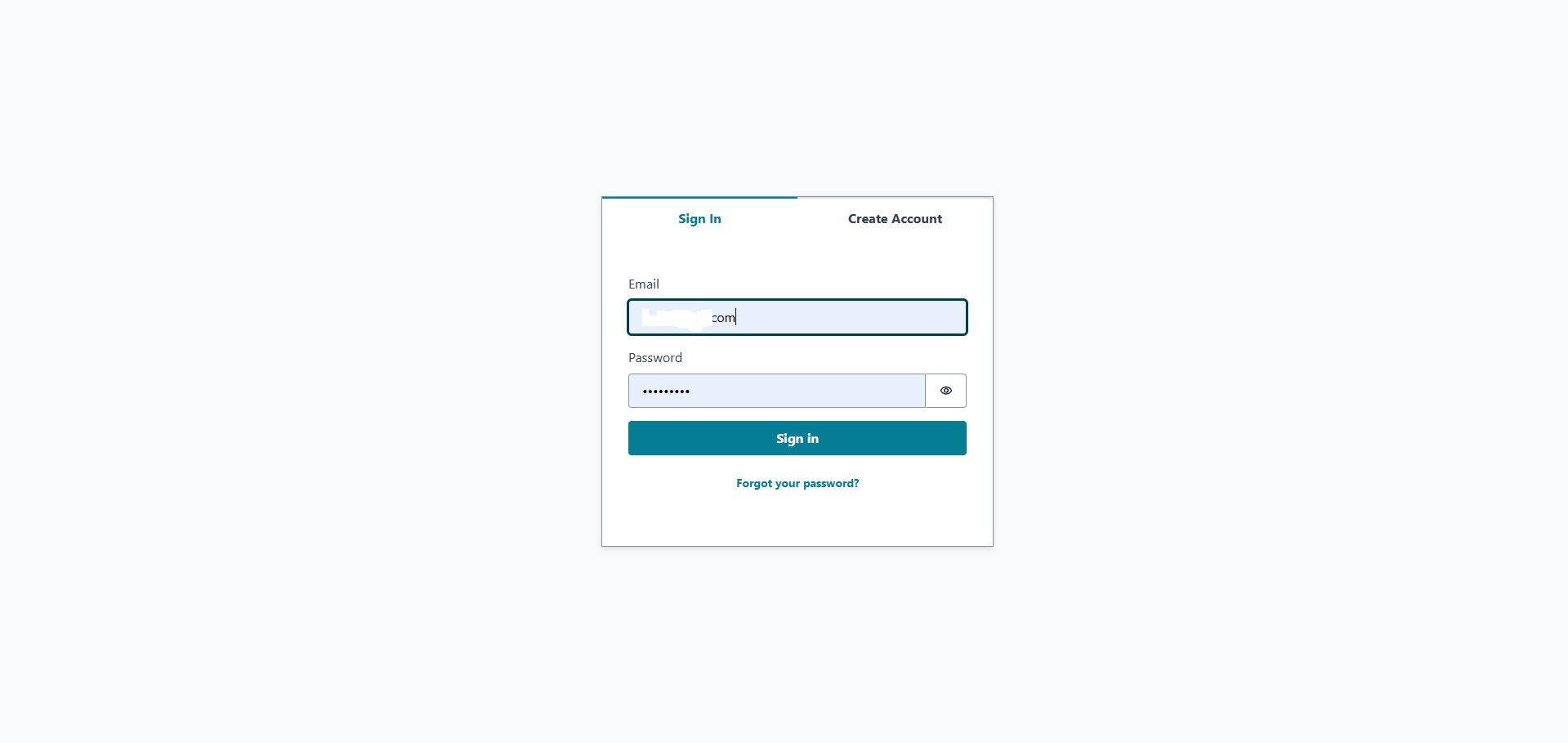
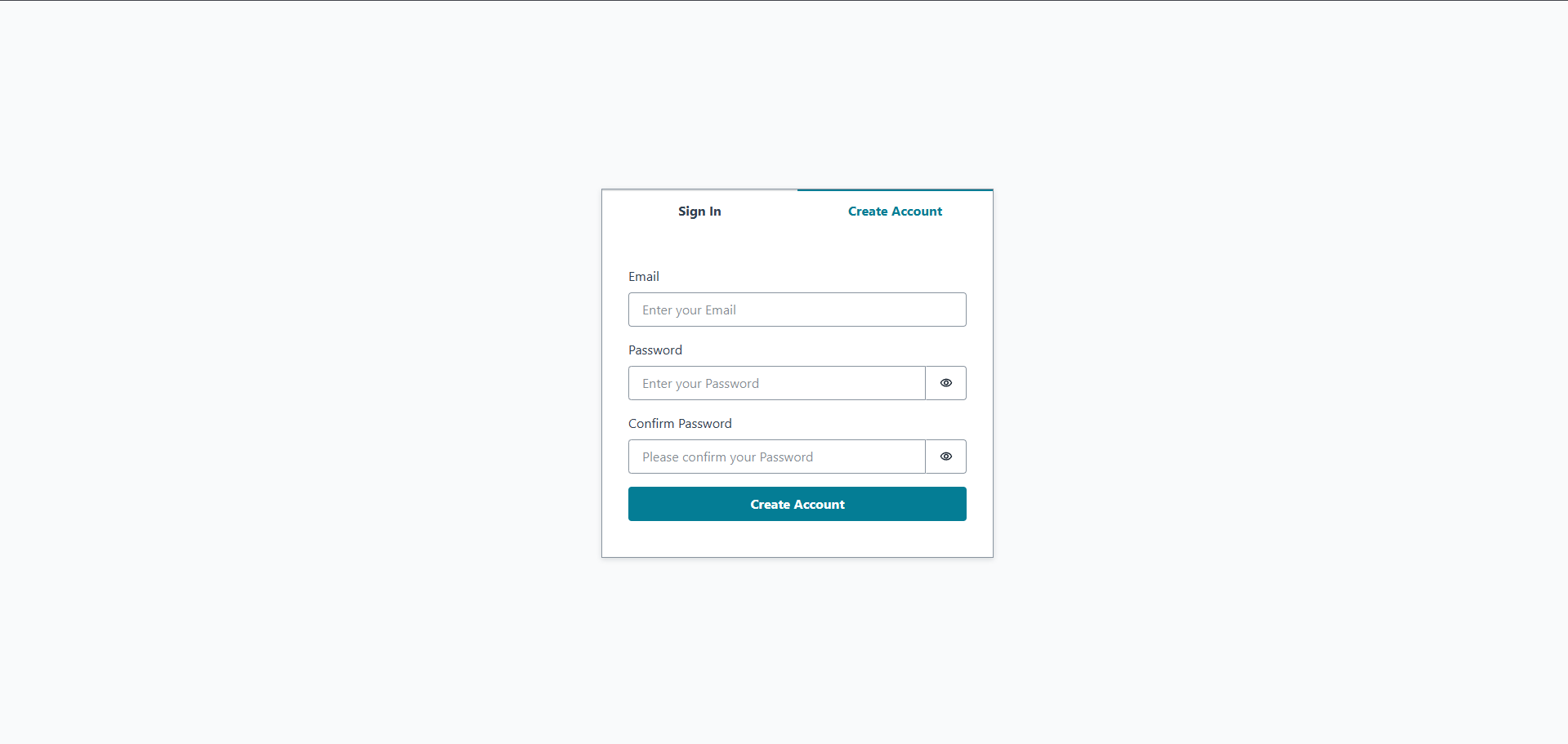
- Dual Tabs Interface: Interactive tabs to seamlessly toggle between "Sign In" and "Create Account" states.
- Password Visibility Toggle: Inline eye icons to easily check passwords and confirm password entries.
- Input Validation & Safety: Clean and standard input layouts with descriptive placeholder texts to guide the user.
- Self-Service Actions: Access to password recovery (Forgot your password?) to resolve account access issues.
Screenshots
Sign In
Create Account
2. Task Dashboard
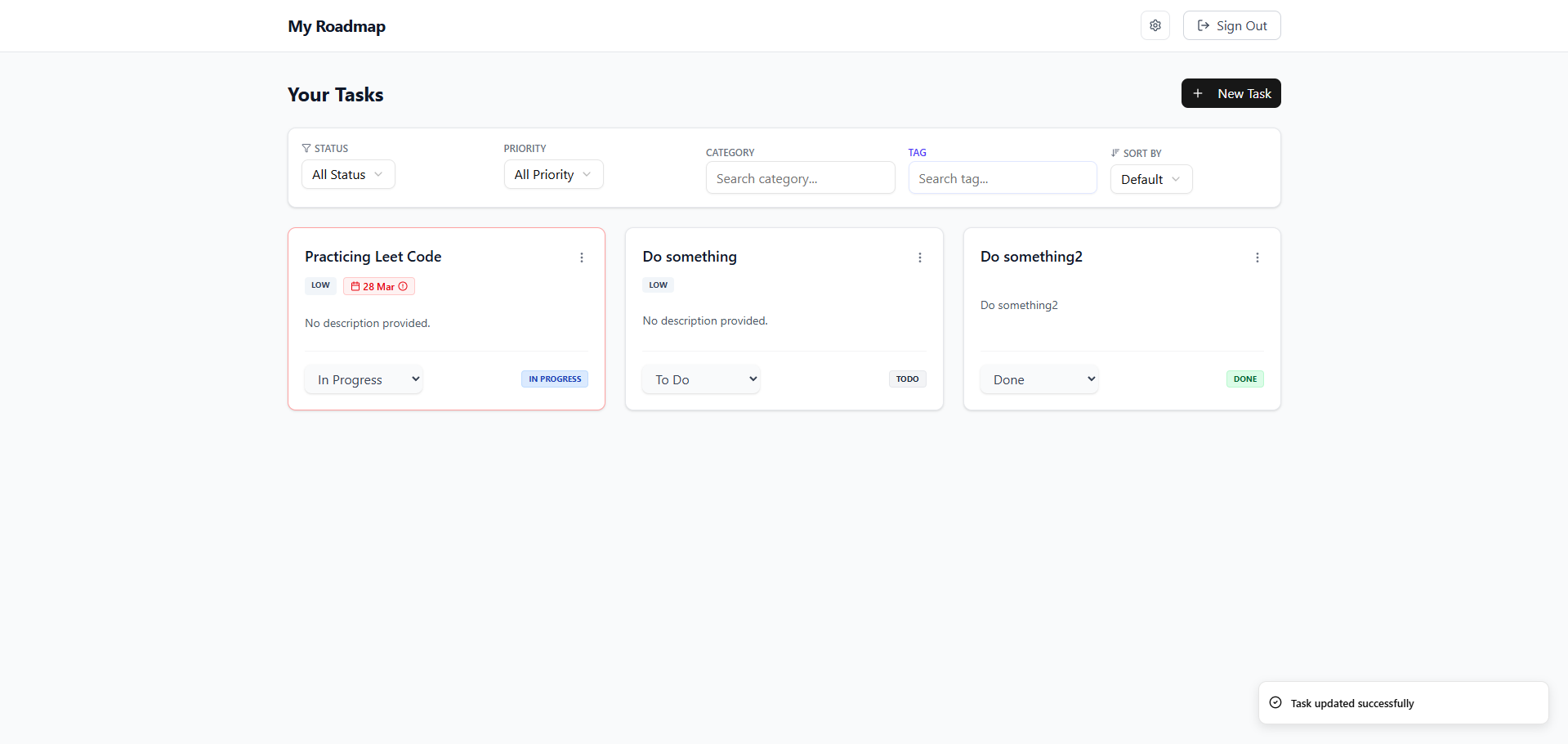
The main control center featuring a comprehensive task list, metadata displays, and advanced querying capabilities.
Key Features
- Detailed Task Cards: Displays important task information at a glance, including title, description summary, priority level badge (e.g.,
LOW), due date, and status badges (TODO,IN PROGRESS,DONE). - Multi-Criteria Filtering: Dynamic dropdown selectors and input fields allowing users to filter tasks by Status, Priority, Category, and Tag.
- Sorting Capabilities: Easily sort the list of tasks (e.g., Default order).
- Toast Notifications: Asynchronous notifications at the bottom-right of the screen to give immediate feedback when tasks are updated (e.g., "Task updated successfully").
Screenshots
3. Task Creation & Editing
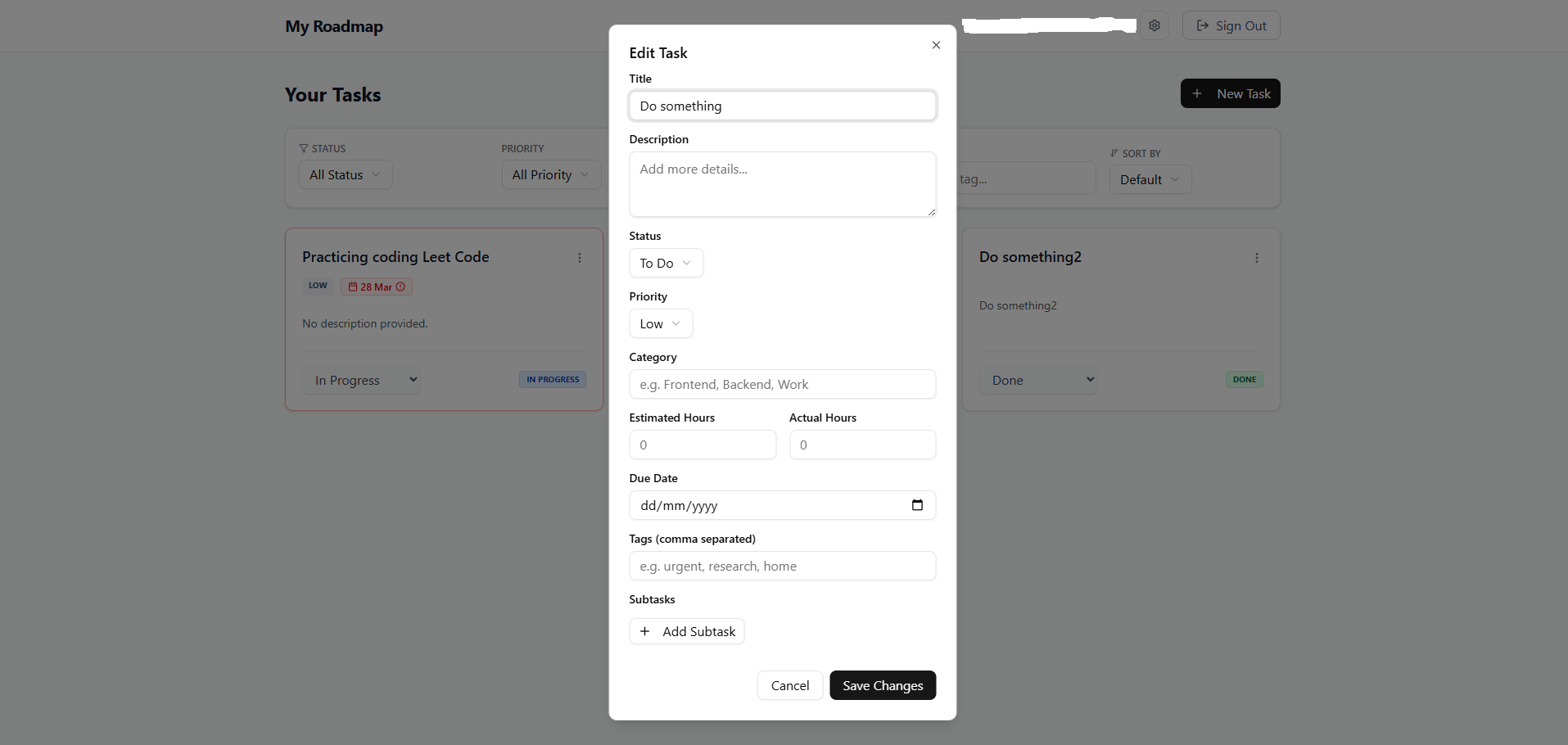
A unified modal overlay for creating new tasks or editing existing ones with granular parameters.
Key Features
- Time Management: Track task scope by specifying both
Estimated HoursandActual Hours. - Due Date Selector: Native calendar date picker for scheduling task completion.
- Tags & Categories: Add a search category and comma-separated tags to keep roadmap elements highly discoverable.
- Dynamic Subtask List: Add, remove, and manage multiple subtasks inside a single parent task item.
Screenshots
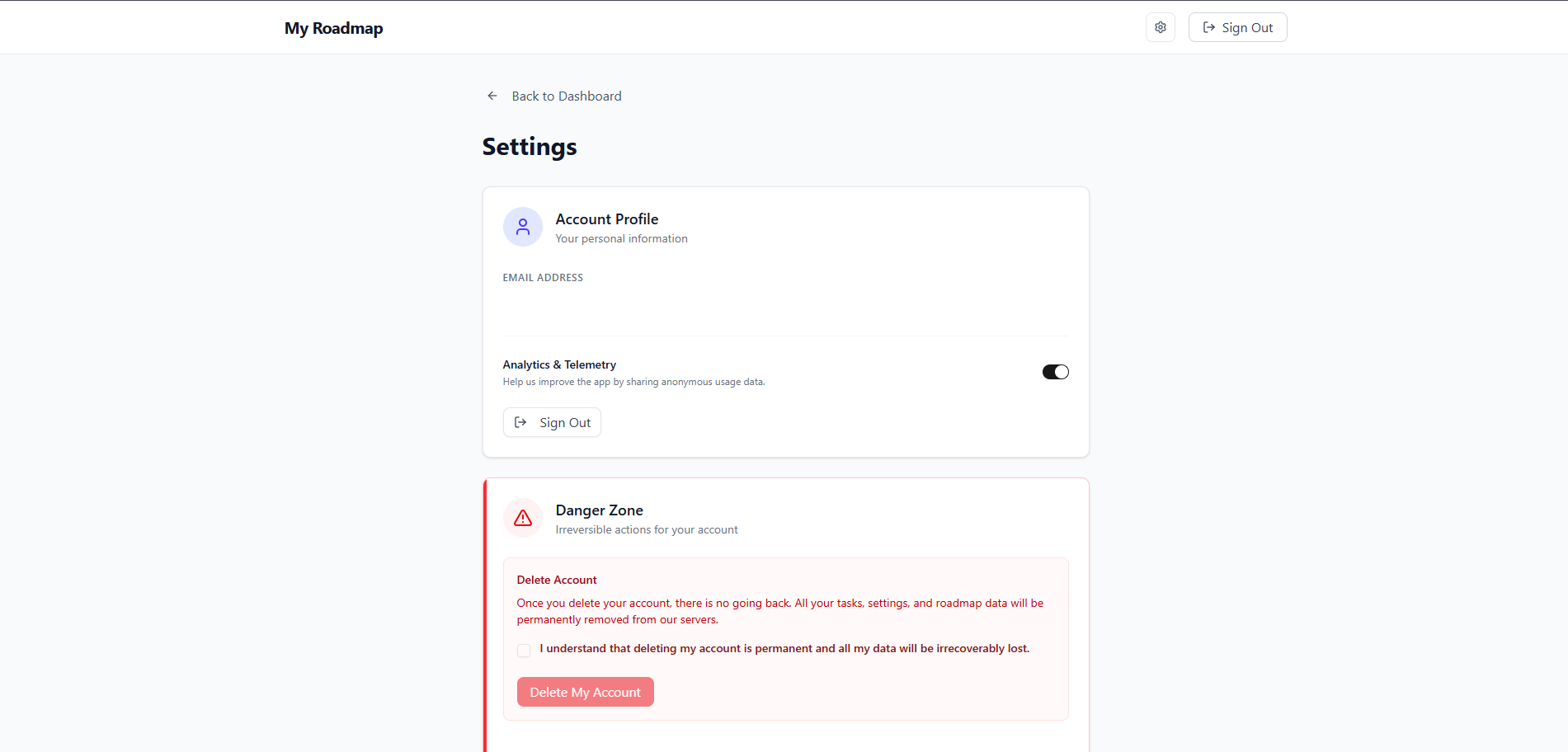
4. Settings & Account Profile
A centralized preferences area for user profile updates, privacy control, and account termination.
Key Features
- Profile Summary: Displays the signed-in user's primary information (such as email address).
- Privacy Controls: "Analytics & Telemetry" toggle switch allowing users to opt in or out of anonymous tracking.
- Danger Zone: A secure, multi-step confirmation area for deleting accounts. It features a check agreement statement to prevent accidental permanent deletion of task data.
Screenshots